
How to Organise Your Steam Library: Tame a 500+ Game Backlog
Learn how to organise your Steam library with shelves, tags and dynamic collections, and turn a chaotic 500-game backlog into a library you play from.
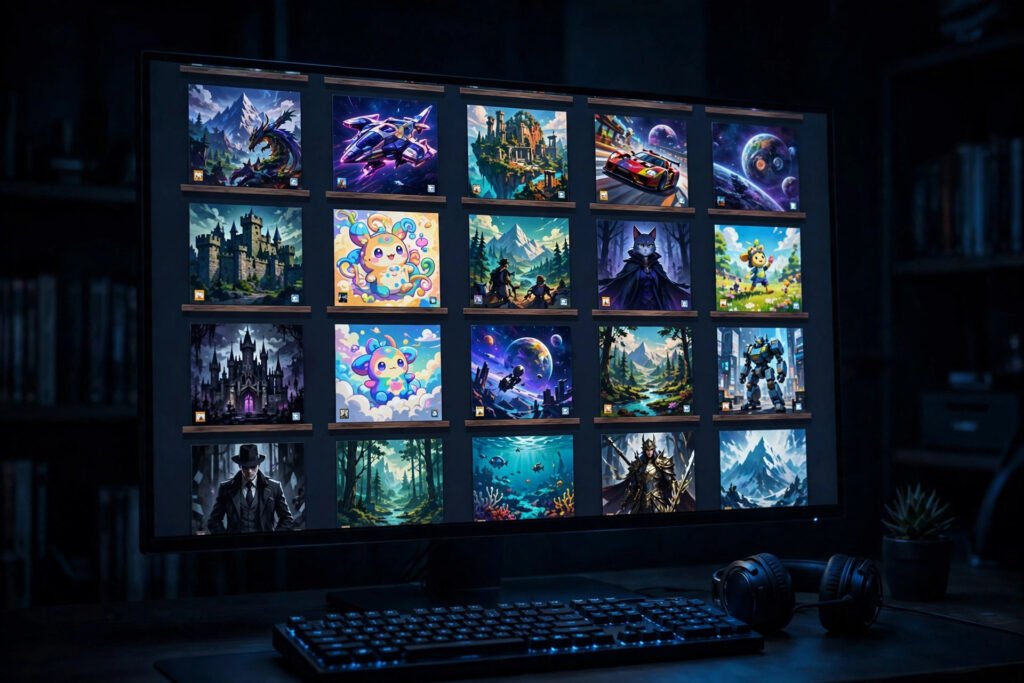
It starts innocently: a Steam sale here, a free weekend there, a bundle bought for one game. Then one day you open your library and face 300 titles, most unplayed, in a single alphabetical list that scrolls like a phone book. Decision paralysis sets in, you play nothing, and you buy more games in the next sale. The Steam backlog is the defining neurosis of the PC gamer.
Organising your library will not shrink the backlog, but it transforms it from a source of guilt into a curated collection you actually play from. This guide covers Steam’s built-in tools, the psychology of backlog management, and systems that survive contact with the next sale.
Start With Steam’s Built-in Tools
Many gamers never look past the default list view, missing powerful organisation features. Collections are the foundation: custom shelves that group games however you like. Create them via the library view, and consider the dynamic variety, which auto-populate based on rules like tags, features, or playtime. A dynamic collection of “unplayed roguelikes” or “co-op games for Friday nights” builds itself.
Tags are your other superpower. Steam’s tagging is inconsistent, so add your own: “backlog”, “playing”, “finished”, “multiplayer”, “short”. Combined with the library’s filters and search, tags let you slice hundreds of games into answerable questions like “what co-op game can we finish this weekend?”
Design a System That Fits You
The best system is the one you will maintain. A popular approach: shelves for “Currently Playing” (maximum three games, ruthlessly enforced), “Up Next” (five to eight curated picks), “Backlog” (everything else, out of sight), “Finished” (for the satisfaction of the archive), and “Probably Never” (honesty is liberating).
Alternative schemes organise by mood or context rather than status: “cosy evenings”, “lunch-break games”, “weekend epics”, “with friends”. This reframes the question from “what should I play?” to “how do I feel?”, which is far easier to answer. The principle mirrors good digital organisation everywhere: our guide to organising photos without overwhelm applies the same “answer a question, not a list” philosophy.
Tame the Inflow
Organisation fails if the inflow never stops. Institute a buying rule: the classic “one in, one out” (finish or formally abandon a game before buying another), or a wishlist discipline where games must sit on the wishlist for 30 days before purchase. Steam’s wishlist with its sale notifications is actually an excellent tool if you let it do its job: buy only what you immediately intend to play.
Audit ruthlessly once a year. Hide games you will never play; there is no prize for a long library. Uninstall aggressively: storage is finite, and a 150GB game you might play “someday” is a tax on every other decision. Our tips on freeing up iPhone storage without deleting photos share the same ruthless-priority mindset for a different device.
The Psychology of the Backlog
Backlog guilt is real but irrational: you bought entertainment, not homework. Reframe unplayed games as a library, not a to-do list; nobody feels guilty about unread books on a shelf. Give yourself permission to abandon games: the sunk-cost fallacy keeps people grinding through 40-hour slogs they hate. A useful rule: if a game has not hooked you in two hours, it probably will not, and those two hours taught you something about your taste.
Track what you finish, not what you own. A simple list of completed games each year is motivating in a way backlog counts never are, and it reveals your genuine preferences over time.
Tools Beyond Steam
Third-party tools extend Steam’s organisation: backlog-tracking sites that import your library and suggest what to play next based on your ratings, “random game” pickers that break decision paralysis, and time-tracking tools that reveal where your hours actually go. Some gamers maintain a simple spreadsheet with ratings and one-line verdicts; the act of recording a verdict forces the honest assessment that backlogs avoid.
For the social dimension, shared family libraries and curated recommendation lists from friends beat algorithmic suggestions. The BBC’s technology coverage has explored how curation, human and algorithmic, shapes what we play.
Maintaining the System
Systems decay without maintenance. A monthly five-minute review, moving finished games to the archive, updating “Up Next”, hiding new impulse buys, keeps the library honest. Tie it to an existing habit: the first Sunday of the month, with coffee, before the week’s gaming. And revisit your shelves when your life changes: a new baby, a new job, or a new relationship all change what “the right game” means.
Healthy gaming habits matter alongside organisation. Ukie’s guidance on healthy gaming habits covers balance, breaks, and keeping play joyful rather than compulsive, which is ultimately what the organised library serves.
Make Your Library Beautiful
Organisation has an aesthetic dimension that genuinely affects whether you use the system. Steam allows custom artwork for every game: capsule images, hero banners, and logos that replace the default assets. A library of consistent, attractive artwork feels like a personal arcade; a wall of grey placeholder boxes feels like a chore list. Community sites offer thousands of custom grids in uniform styles, and applying a cohesive set across your library takes an evening but pays off every time you open it. Customise your shelves’ names with personality rather than bureaucracy: “Friday Night Chaos” beats “Multiplayer – Unplayed”. The library is your space; make it one you enjoy visiting. Gamers who customise their libraries report actually playing more of their backlog, which suggests the psychology is real: we use beautiful tools more than ugly ones.
Sharing your setup
The Steam community loves library showcases, and browsing others’ organisations is a superb source of ideas. Share screenshots of your shelves in community forums; you will pick up systems you never imagined and help fellow backlog sufferers in return.
Conclusion
An organised Steam library is not about minimalism; it is about intentionality. Collections that answer real questions, buying rules that stem the inflow, permission to abandon, and a monthly five-minute review turn 300 games of guilt into a personal arcade you love opening. The backlog will never be empty, and that is entirely fine. It is a library to browse with pleasure, not a debt to repay with guilt.
Frequently Asked Questions
What is the best way to organise Steam games?
Use collections (shelves) grouped by status or mood, plus custom tags for filtering. Dynamic collections that auto-populate by rules do much of the work for you.
Should I hide games I will never play?
Yes. Hiding is not deleting; the games remain in your account. An honest library you enjoy browsing beats a complete one that induces guilt.
How do I stop buying games I will not play?
Use a wishlist cooling-off period of 30 days, buy only what you will play immediately, and consider a “finish one before buying one” rule during sales.
How often should I reorganise my library?
A five-minute review monthly keeps the system honest: archive finished games, update your Up Next shelf, and hide impulse buys. Tie it to an existing routine so it actually happens.
Can I share my Steam library organisation with family?
Steam Families allows sharing libraries between accounts, and your collections help family members navigate the shared catalogue. Each person’s tags remain their own.