How to Stream on Twitch as a Complete Beginner
Ready to go live? How to stream on Twitch as a complete beginner: setup, software, growing your first viewers and avoiding common new-streamer mistakes.
Streaming on Twitch looks like easy money and instant community — turn on a camera, play games, get famous. The reality is better and harder: streaming is a learnable craft combining performance, community management and technical production, and the streamers who succeed treat it as such. The good news for complete beginners is that the barrier to entry has never been lower: a decent PC or console, free software, and a stable internet connection are enough to start. Here is how to stream on Twitch as a complete beginner, from setup to your first regulars.
Get the technical basics right
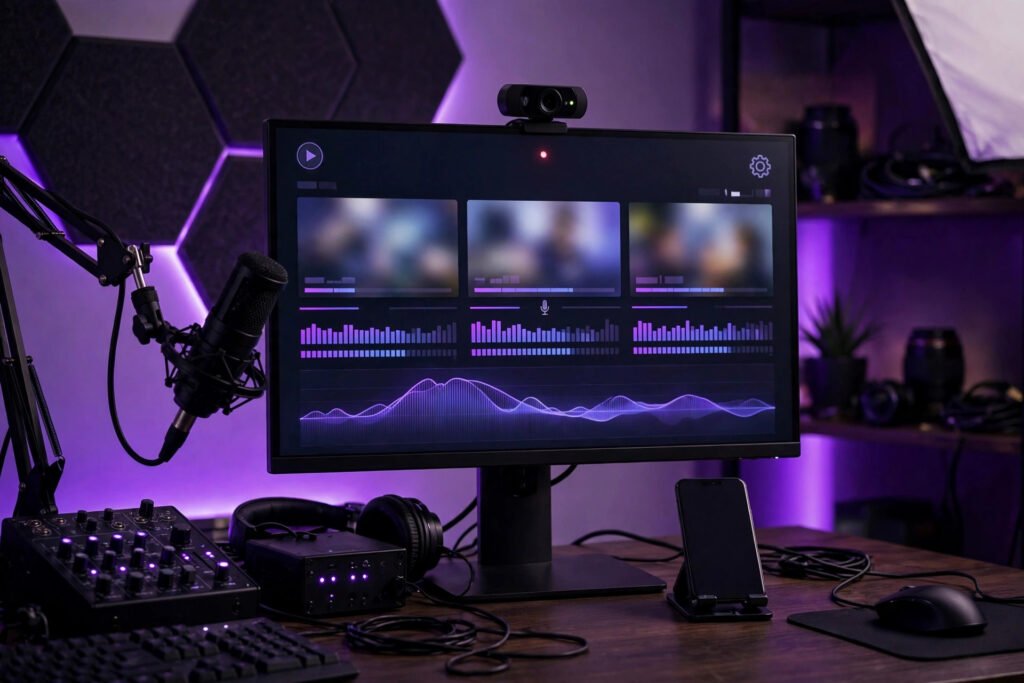
You need less gear than you think. A PC capable of running your game plus encoding (or a console — PlayStation and Xbox stream directly with no PC needed), a stable internet connection with at least 10Mbps upload, and free OBS Studio software to compose your stream. Audio matters more than video: viewers forgive 720p but leave for bad audio, so a £30–£50 USB microphone is the best first upgrade. A webcam helps enormously — people watch people, not just gameplay — but it is optional on day one. Test everything privately before going live: record a test stream, watch it back, fix the echo, the game audio drowning you out, the webcam framing. Technical quality is the price of admission; it does not need to be expensive, just competent. If your connection struggles, the principles in improving call quality on slow connections apply directly to streaming stability.
Choose your niche and schedule
Nobody discovers “person plays popular game badly, no commentary”. Successful beginners pick an angle: a specific game they love deeply, a challenge format (completing games blindfolded, speedrun attempts), a cosy community vibe, creative content, or genuine expertise. Smaller games have smaller but far more discoverable audiences — streaming a niche title to 20 viewers beats streaming a saturated giant to zero. Then commit to a schedule you can actually sustain: three sessions a week at consistent times beats daily streams that collapse after a fortnight. Consistency lets viewers find you and return; Twitch’s algorithm also favours regular broadcasters. Treat it seriously from the start — many streamers eventually earn real income, and the discipline overlaps with starting any side hustle from home.
Learn to perform: talk, always
The hardest skill is also the most important: narrate constantly, even to zero viewers. Silence is death on stream — viewers click away from quiet streams in seconds. Talk through your decisions, react to the game, tell stories, ask chat questions (and answer them as if asked). It feels absurd talking to an empty room; do it anyway, because VODs and clips reach people later, and the habit must be built before viewers arrive. Watch successful small streamers (not just the giants) and study their energy: they are hosts, not just players. Energy is a skill — project 20 per cent more enthusiasm than feels natural, because cameras flatten everything.
Build community deliberately
Twitch is a community platform wearing a video platform’s clothes. Greet regulars by name, remember details, create channel rituals and inside jokes. Set clear, enforced chat rules from day one — a welcoming chat is your most valuable asset, and one toxic regular poisons it. Network horizontally: watch and support streamers your size, join communities, collaborate. Raiding (sending your viewers to another streamer at the end) builds genuine relationships. And protect yourself: use moderators early, keep personal information private, and learn Twitch’s safety tools. Ofcom’s guidance on online safety and Twitch’s own safety centre are essential reading before you grow.
Understand the money (and the odds)
Be honest with yourself: very few streamers earn a living. Twitch Affiliate status (the first monetisation tier) requires 50 followers plus modest viewing averages — achievable in months with consistency. Income comes from subscriptions, bits, donations, sponsorships and eventually ads, but meaningful money needs hundreds of concurrent viewers. Stream because you enjoy it, with income as a possible bonus — the streamers who last are the ones who would do it for free. Reinvest early earnings in audio, lighting and content, not lifestyle.
Growing beyond Twitch: clips, YouTube and community
Twitch alone rarely builds an audience — the platform’s discoverability for small streamers is brutally limited. The growth engine is elsewhere: short clips. One funny, impressive or wholesome 30-second moment, posted to TikTok, YouTube Shorts or Instagram Reels, can bring more new viewers than a month of streaming. Make clipping a habit: mark moments live (OBS has markers), edit a few clips weekly, post consistently. Study what travels — emotion, surprise, skill, humour — and engineer stream moments around it without faking.
Repurpose systematically: stream highlights become YouTube videos, tutorials become evergreen content, funny moments become Shorts. Each platform feeds the others, and YouTube’s searchability gives your content a shelf life Twitch never will. Build community off-platform too: a Discord server turns viewers into a community that exists between streams — organise game nights, movie nights, conversation channels. The streamers who survive long-term are not just broadcasters but community leaders. Twitch is the stage; the clips are the advertising; the Discord is the home. Build all three. And enjoy the early days — small streams with a handful of regulars are often streamers’ happiest memories. Growth is great, but community is the point; never sacrifice the latter chasing the former.
Conclusion
Streaming on Twitch as a beginner means: solid-but-cheap technical setup with good audio, a clear niche and sustainable schedule, constant engaging commentary, deliberate community building, and realistic expectations about money. Do that consistently for six months and you will have real skills, real regulars, and a genuine shot at growth — which is more than most “someday” streamers ever get.
Frequently Asked Questions
What equipment do I need to start streaming on Twitch?
A PC or console, stable internet (10Mbps+ upload), free OBS Studio software, and ideally a USB microphone (£30–£50). A webcam helps but is optional on day one.
How do I get viewers as a new streamer?
Stream niche games (less competition), keep a consistent schedule, narrate constantly, network with similar-sized streamers, and create clips for social media. Discovery is slow — expect months, not days.
Can you make money streaming on Twitch?
Yes, but few earn a living. Affiliate status (50 followers + viewing thresholds) unlocks subscriptions and bits; meaningful income needs hundreds of regular viewers. Treat it as a hobby that might pay, not a job.
Should I stream on Twitch or YouTube?
Twitch has the stronger live community and discoverability for small streamers; YouTube offers better long-term content value through VODs. Many beginners start on Twitch and expand later.
How do I deal with trolls as a new streamer?
Set chat rules early, appoint moderators as soon as you have trusted regulars, use Twitch’s automod and blocking tools, and never feed trolls — timeouts and bans without engagement.
Should I stream with a facecam as a beginner?
It is optional — plenty of successful streamers never show their face. A webcam adds personal connection but also pressure and privacy exposure. Start without one and add it later if you want; nobody will hold its absence against a new channel.
How many hours should a beginner stream?
Fewer, better hours beat marathon sessions — two to three focused streams a week is plenty to start. Consistency of schedule matters far more than raw hours; viewers return to shows they can predict.