
What Should I Do If My Phone Gets Wet?
Dropped your phone in water? What to do in the first 60 seconds, why rice is a myth, and how to dry it properly to save it.
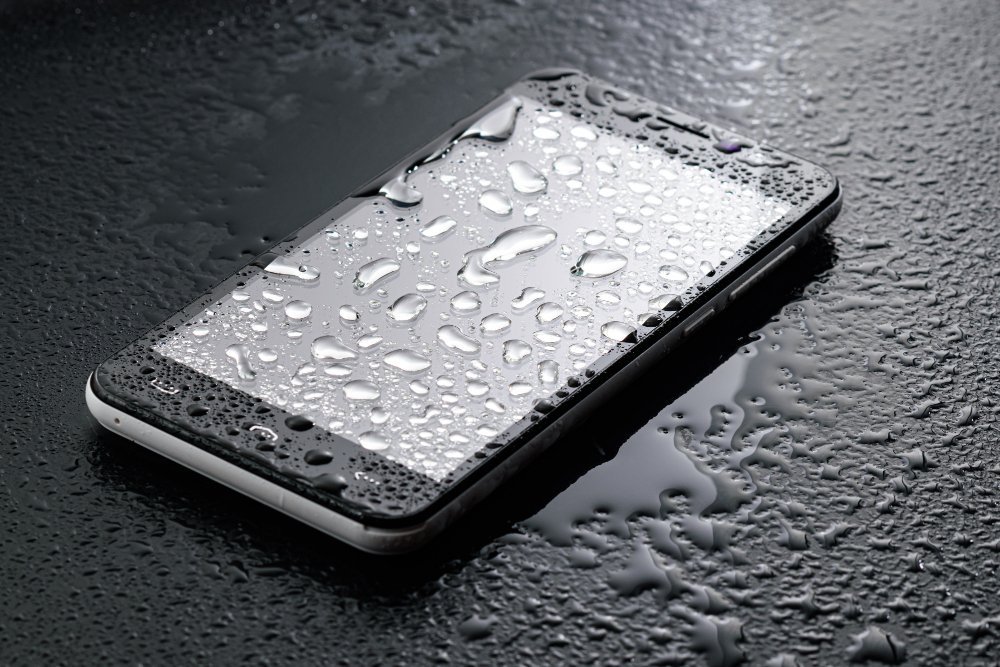
It happens in slow motion: the phone slips from your hand, arcs gracefully through the air, and lands in the sink/toilet/pint/paddling pool. Your stomach drops. What to do if your phone gets wet in the next 60 seconds genuinely determines whether it survives — and most people’s instincts are exactly wrong. So take a breath, and do this.
I’ve rescued two drowned phones (one toilet, one North Sea rockpool — don’t ask) and lost one to the rice myth before I knew better. Here’s what actually works, backed by what repair technicians tell me.
What to Do if Your Phone Gets Wet: The First 60 Seconds
- Get it out of the liquid immediately. Every second counts — water ingress is a function of time and depth. Fish it out now.
- Turn it OFF right away. Hold the power button and shut it down. Do not test whether it still works — powering a wet phone is what fries circuits, not the water itself.
- Remove the case, and the SIM tray if you can. Cases trap water against the phone. Popping the SIM tray opens a vent for moisture to escape.
- Hold it with the ports facing down and gently shake out loose water. Don’t blow into it — your breath is moist and pushes water deeper.
- Pat dry with a lint-free cloth or towel. Dab, don’t rub. Pay attention to the charging port, speaker grilles and buttons.
What NOT to Do (the Myths That Kill Phones)
Don’t put it in rice
The most persistent tech myth in existence. Rice is barely absorbent, rice dust gets into ports and causes its own damage, and — critically — it does nothing to stop corrosion, which is what actually kills water-damaged phones. Apple themselves advise against it. Every repair technician I know groans when a customer mentions rice.
Don’t use a hairdryer
Heat damages batteries, warps seals and can push moisture deeper into the device. Even the “cool” setting forces air (and moisture) into places it shouldn’t go.
Don’t charge it
This is the big one. Plugging in a wet phone can short-circuit the charging port and motherboard — turning a recoverable soaking into a dead phone. Modern iPhones will warn you about liquid in the connector; heed the warning. Wait until you’re confident it’s fully dry, which means at least 24–48 hours.
Don’t press all the buttons
Every button press can push water past seals into the interior. Leave it alone.
The Drying Process That Actually Works
- Silica gel packets (the little “do not eat” sachets) in a sealed bag with the phone — genuinely effective desiccants. Save them from shoe boxes and deliveries.
- A bowl of cat litter (crystal type) works as a desiccant in a pinch. Yes, really.
- Good airflow at room temperature. Stand the phone upright in front of a fan — moving air evaporates moisture far better than still air. This alone, given 48 hours, saves most phones.
- Time. Minimum 24 hours for a splash, 48+ for full submersion. I know the temptation to check is unbearable. Resist.
Special Cases
Salt water or sugary drinks
Salt water is far more corrosive than fresh water, and sugary drinks leave residue that keeps causing damage. If the phone went in the sea or a pint, the standard advice from technicians is a brief rinse in clean fresh water before drying — counterintuitive, but it removes the corrosive stuff. Then dry as above and get it to a repair shop promptly.
It was in the toilet
Hygiene first: wipe it down with an alcohol wipe once it’s dry. Your phone is replaceable; a stomach bug isn’t fun. (We’ve all been there. No judgement.)
Water-resistant phones (IP67/IP68)
Your IP68 rating is tested in lab conditions with fresh water — not the sea, not a hot tub, not soapy bath water. Water resistance also degrades as seals age and after any drop. Treat a dunked “water-resistant” phone with the same caution as any other: power off, dry thoroughly, don’t charge for 24 hours. The rating improves your odds; it doesn’t make the phone waterproof.
After It’s Dry: Check for Damage
Once 48 hours have passed, power it on and test methodically: touchscreen responsiveness across the whole display, speakers (play music — muffled sound may clear over a few more days), cameras (fogging inside the lens means moisture remains), charging, and all buttons. Back up your data immediately — even if it seems fine, corrosion can cause delayed failures weeks later.
If anything’s misbehaving, a professional clean (£40–£80 at a repair shop, ultrasonic bath treatment) can save a phone that’s otherwise working. And if the screen is damaged too, our guide on whether to repair a cracked iPhone screen or buy new covers the maths. Battery acting strangely after a soaking? Read how long iPhone batteries last and when to replace them — water and batteries are a bad combination.
Does Phone Insurance Cover Water Damage?
Often, but not always — and the details matter enormously:
- Manufacturer warranty (Apple/Samsung): Water damage is not covered by the standard warranty, even on IP68-rated phones. The warranty covers defects, not accidents. Liquid contact indicators inside the phone tell technicians exactly what happened.
- AppleCare+: Covers accidental damage including water damage, with an excess (£79 for screen/other damage in the UK). If you have it, take the phone to Apple rather than attempting home drying heroics.
- Bank account packaged insurance: Many premium current accounts include mobile insurance that covers water damage — check your account benefits; you may already be covered and not know it.
- Home contents insurance: Often covers phones away from home as personal possessions, but the excess (£100–£250) frequently exceeds the repair cost — and claiming can affect your no-claims discount. Do the maths before claiming.
- Dedicated gadget insurance: Policies from specialists explicitly cover liquid damage, usually with lower excesses than home insurance. Worth it if you’re accident-prone.
One critical note: don’t lie about water damage when claiming. Technicians can tell, and fraudulent claims can void your entire policy. For Apple’s official guidance on liquid damage and what to do, see Apple’s iPhone support pages — they document exactly which scenarios are covered and how to get service.
The Bottom Line
Power off, dry patiently for 48 hours, don’t charge it, forget the rice. Most phones survive a brief dunking if you handle the first hour correctly — it’s the panic-charging and hairdryer “rescues” that actually kill them. And once yours is recovered, buy a waterproof pouch for £8 before your next beach trip. Future-you will consider it the best £8 ever spent.