
How to Write an Invoice That Gets Paid on Time
How to write an invoice that gets paid on time, the must-have details, payment terms that work, and follow-up that is not awkward.
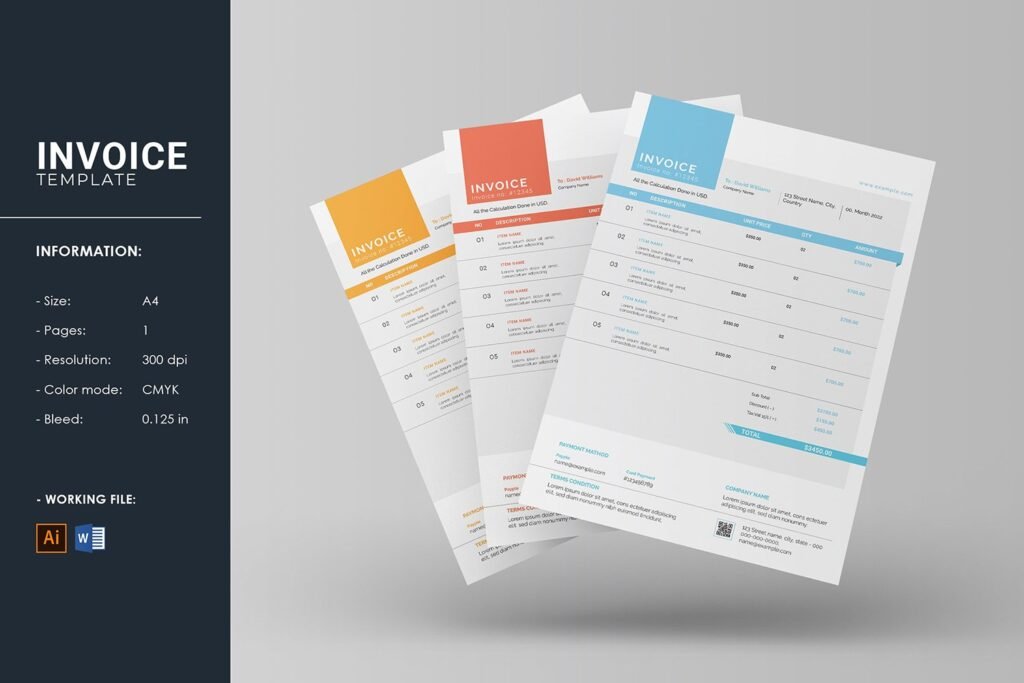
There’s an art to invoicing, and most freelancers never learn it. They fire off a vague email saying “here’s my invoice lol” and then wonder why payment takes 60 days. Learning how to write an invoice that gets paid on time isn’t about being pushy — it’s about removing every possible friction and excuse between sending the invoice and receiving the money. The best invoice is one the client can pay in 60 seconds without thinking.
Here’s the complete anatomy of an invoice that gets paid fast.
Invoice That Gets Paid on Time: The Must-Have Elements
1. The basics (legally required)
Every UK invoice must include:
- Your business name and address (and company number if limited)
- The client’s name and address — invoice the right entity (get the exact legal name for limited company clients)
- A unique invoice number — sequential (INV-001, INV-002). Gaps in numbering look unprofessional and confuse everyone
- Invoice date and payment due date — both explicit, not implied
- Description of goods/services — specific enough that the client recognises what they’re paying for
- Amounts: Subtotal, VAT (if registered — and your VAT number), total due
- Payment details: Bank name, account number, sort code — exactly as they appear for transfers
For the full legal requirements, GOV.UK’s invoicing guide is the definitive reference.
2. Payment terms that work
- State terms explicitly: “Payment due within 14 days of invoice date (by 28 October 2026)” — not just “Net 14,” which half your clients won’t understand
- Use short terms: 7–14 days for most freelancers. 30 days is a convention that serves payers, not you. There’s no law requiring it
- Mention late fees upfront: “Late payments subject to statutory interest under the Late Payment of Commercial Debts Act.” One sentence, enormous behavioural impact. Our guide on dealing with late-paying clients covers enforcing this
- Offer early payment incentive (optional): “2% discount if paid within 7 days” — costs you little, accelerates cash flow significantly
3. Make paying effortless
- Bank transfer details prominent — sort code and account number in large type, not buried in footer text
- Payment link: Stripe, GoCardless or PayPal link right on the invoice. Every extra step loses 10% of payers. A “Pay Now” button is the single highest-ROI invoice improvement
- Correct amount, first time: Invoice errors are the #1 cause of “we’ll pay when it’s corrected” delays. Double-check before sending
- Send to the right person: The person who commissioned the work often isn’t the person who pays invoices. Ask “who should I send the invoice to?” and get accounts-payable contact details upfront
Timing and Follow-Up: The System
- Invoice immediately on completion or per your agreed milestones. Same day. Not “when I get around to it” — every day of delay is a day added to payment
- Send Tuesday–Thursday mornings: Invoices sent Friday afternoon sit until Monday; Monday mornings drown in weekend backlog. Midweek mornings get fastest attention
- Confirm receipt: A quick “just checking you received invoice #123” the next day catches the “oh, it went to spam” cases before they become 30-day delays
- Automate reminders: Good accounting software sends polite automatic reminders at 7 days overdue, 14 days, 21 days. Automation removes the awkwardness — it’s “the system,” not you nagging
- Personal follow-up at 14 days: A phone call, not an email. “Hi, checking on invoice #123 — is there anything holding it up?” Friendly, direct, effective
Invoice Design: Professionalism Pays
- Use a template — your accounting software generates professional invoices automatically. Hand-typed Word invoices signal amateur hour
- Your branding: Logo, consistent colours, professional layout. It subconsciously communicates “I take my business seriously, take payment seriously too”
- Clear line items: “Logo design — £500; Business card design — £150; Revisions (round 3) — £75” beats “Design work — £725.” Itemisation prevents “what is this for?” delays
- Reference their PO number if they use purchase orders — missing PO numbers are a top reason large organisations delay payment
- PDF, not Word: PDFs can’t be accidentally edited and look professional. Never send editable formats
Pricing It Right in the First Place
The invoice is the end of the pricing process, not the beginning. If you’re consistently undercharging, no invoice template fixes that — our guide on freelance pricing covers getting the numbers right before the invoice exists.
Invoice Template: Copy-Paste Example
Here’s what a proper invoice looks like in practice — adapt the details:
INVOICE #INV-2026-0147
From: Jane Smith Design, 12 Acacia Avenue, Leeds LS1 4BR
To: Acme Ltd, 45 Business Park, Leeds LS10 1AB
Invoice date: 15 October 2026
Payment due: 29 October 2026 (14 days)
Description:
— Logo design package (concepts, revisions, final files): £800.00
— Business card design: £150.00
— Additional revision round: £75.00
Subtotal: £1,025.00
VAT (20%): £205.00 (if VAT registered — omit otherwise)
Total due: £1,230.00
Payment: Bank transfer to Jane Smith Design, Sort code: 12-34-56, Account: 12345678
Reference: Please quote INV-2026-0147
Payment terms: Due within 14 days. Late payments subject to statutory interest under the Late Payment of Commercial Debts (Interest) Act 1998.
Every element earns its place: the reference number prevents “which invoice?” confusion, the itemisation prevents “what’s this for?” delays, the explicit due date removes ambiguity, and the late-payment note (polite, factual) dramatically improves on-time payment rates. Save this as your template and never start from blank again.
E-Invoicing Is Coming: Get Ready
The UK is moving towards mandatory e-invoicing — structured digital invoices rather than PDFs attached to emails — following the global trend (it’s already required across much of the EU and Latin America). For freelancers and small businesses, the practical impact: your invoicing software will handle the format automatically, but the era of the Word-document invoice is ending. The upside is real — e-invoices get paid faster (no “I didn’t see the attachment”), errors drop, and tax filing gets simpler as HMRC receives cleaner data. The move: if you’re still invoicing from Word or Excel, switch to proper invoicing software now rather than during the mandatory transition. Future you — and your clients’ accounts departments — will be grateful.
The Bottom Line
Include every legal element, state short payment terms explicitly, make paying a one-click action, invoice the same day, send midweek mornings, automate reminders, and call personally at 14 days overdue. The freelancers who get paid in 10 days aren’t luckier — their invoices remove friction and their follow-up is systematic. Build the system once, and cash flow stops being a source of anxiety and starts being a background process that just works.