How to Prepare for a Video Interview: The 2026 Checklist
Know exactly how to prepare for a video interview: tech setup, lighting, body language and practice drills that help you come across confident on camera.
Video interviews are no longer the awkward exception; for most UK employers they are the default first stage. Yet candidates still lose offers to preventable screen-based mistakes: the echoing kitchen, the camera angled up the nose, the frozen smile when the Wi-Fi stutters. The substance of your answers matters enormously, but on video, the medium shapes how that substance lands.
This 2026 checklist covers everything: the technical setup that makes you look competent before you speak, the performance adjustments video demands, and the practice drills that turn camera anxiety into camera confidence.
Sort the Technology First
Nothing torpedoes a video interview faster than technical chaos. Test everything 24 hours before, not ten minutes: the meeting link, your camera, microphone, and speakers. Use a laptop rather than a phone where possible; the stable framing and better audio read as more professional. Plug into your router with an ethernet cable if your Wi-Fi is flaky, close bandwidth-hungry apps, and keep your phone nearby with the interviewer’s number in case you need to switch to a call.
Audio matters more than video. Interviewers forgive a slightly soft picture; they cannot forgive crackling, echoing audio. A basic pair of wired earbuds with a microphone outperforms most laptop speakers. Test with a friend and ask honestly: can they hear you clearly with no echo?
Stage Your Background and Lighting
Choose a quiet room with a door you can close, and warn housemates. The background should be tidy and neutral: a plain wall, a bookshelf, a tidy corner. Virtual backgrounds are acceptable but can glitch distractingly; a real, calm background is safer. Remove anything controversial, confidential, or overly personal from view.
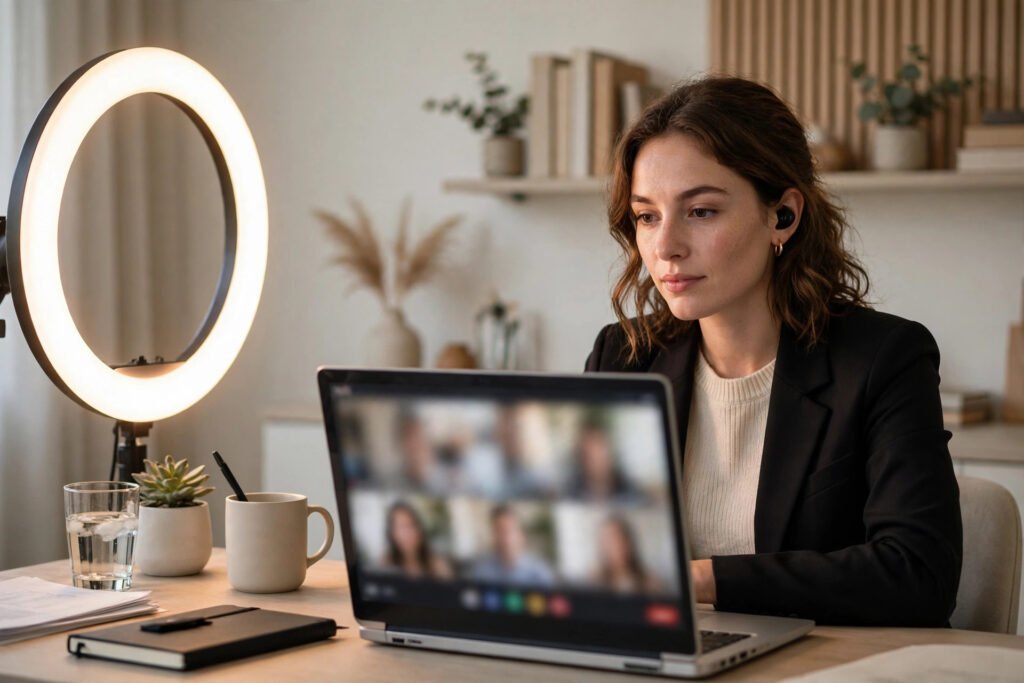
Lighting is the cheapest upgrade available. Face a window for soft, flattering natural light; never sit with a bright window behind you, which turns you into a silhouette. If natural light is unavailable, a simple desk lamp or ring light positioned behind the camera works well. Do a test recording and watch it back with critical eyes.
Dress and Frame Like a Professional
Dress as you would for an in-person interview, at least from the waist up, and frankly, fully dressed avoids disaster if you need to stand. Solid colours work best on camera; busy patterns can shimmer. Our guide to what to wear to a creative-industry interview has sector-specific advice, but the universal rule is: dress one notch above what you think the role requires.
Frame yourself from the chest up with a little headroom, eyes roughly a third of the way down from the top of the frame. Position the camera at eye level: stack your laptop on books if needed. Looking down into a laptop camera is the most common framing mistake and the least flattering angle in existence.
Master Video-Specific Body Language
On video, your presence is compressed into a small rectangle, so every signal is amplified. Look into the camera lens, not at the faces on screen, when making key points; this creates the sensation of eye contact. Sit upright, lean slightly forward to show engagement, and keep gestures within the frame but natural.
Energy needs a deliberate boost: video flattens affect, so aim for about ten percent more warmth and enthusiasm than feels natural. Smile when you greet, nod visibly to show listening, and avoid fidgeting, which the microphone exaggerates. If calming pre-interview nerves is your challenge, our dedicated guide covers breathing and mindset techniques that work as well on camera as in person.
Prepare Your Answers Properly
The questions are the same as any interview; only the delivery changes. Prepare concise stories using the STAR structure (Situation, Task, Action, Result) for competency questions, and have your “tell me about yourself” down to a crisp ninety seconds. Research the company thoroughly and prepare three genuine questions that show you have thought about the role.
Keep brief notes on sticky notes around your screen, key figures, questions to ask, the interviewer’s name, but do not read from a script. Glancing at notes is fine; reading aloud is obvious and kills rapport. Have your CV open on screen for reference, and keep a glass of water nearby.
Handle the Awkward Moments
Technology will misbehave eventually. If your audio cuts out, say so immediately and switch to phone rather than shouting “can you hear me?” repeatedly. If there is a lag, pause slightly longer before answering to avoid talking over the interviewer. If a housemate, pet, or delivery driver intrudes, acknowledge it briefly with good humour and move on; interviewers are human and these moments are now universal.
For asynchronous video interviews, where you record answers to prompts alone, the rules shift slightly: you can redo takes, so use that advantage, but keep answers tight, as rambling is more obvious without a live interviewer to interrupt. The National Careers Service interview tips cover both formats with official UK guidance.
The Day-Of Checklist
On the day: restart your laptop an hour before, dress fully, set up your space, and join the call five minutes early. Close unnecessary tabs and silence notifications on every device. Have a pen and paper for notes, your questions list, and the interviewer’s contact details. Take a breath, smile, and remember that the interviewer wants this to go well too; they have a vacancy to fill.
Afterwards, send a brief thank-you email within 24 hours referencing something specific from the conversation. It is a small touch that disproportionately sticks in interviewers’ minds. Acas advice on recruitment confirms that courteous follow-up is both appropriate and noticed.
What Interviewers Notice First on Video
Recruiters consistently report the same first impressions: candidates who clearly tested their setup signal competence and respect for the interviewer’s time, while those fumbling with audio suggest disorganisation before a single question is answered. Beyond tech, interviewers notice energy and engagement almost immediately. The candidates who stand out make regular “eye contact” with the lens, react visibly when listening, and bring specific, researched questions. None of this requires charisma; it requires preparation. In a medium where everyone is reduced to a rectangle, the prepared candidate looks disproportionately impressive.
Conclusion
Preparing for a video interview is really two preparations: the timeless work of knowing your stories and researching the employer, plus the modern work of technology, staging, and screen presence. Master both and the camera becomes an advantage: you interview from your own space, with your notes at hand and no commute. The candidates who treat video as seriously as the boardroom are the ones who get the offer.
Frequently Asked Questions
Should I use a virtual background?
A real, tidy background is safer, as virtual backgrounds can glitch around your outline distractingly. Use one only if your real background cannot be made presentable, and test it thoroughly first.
Is it okay to look at the screen instead of the camera?
Glance at the screen to read reactions, but deliver your key points looking into the lens. This small discipline creates genuine eye contact and noticeably improves your perceived confidence.
What should I do if my internet drops mid-interview?
Have the interviewer’s phone number ready and call immediately, apologising briefly and carrying on by phone. Interviewers judge how you handle the glitch more than the glitch itself.
How early should I join a video interview?
Five minutes. Earlier risks catching the interviewer unprepared; later looks careless. Use the waiting time to settle your breathing and review your notes.