
How to Stop Spam Calls on a UK Mobile Number
Sick of spam calls? How to stop them on a UK mobile, phone settings, network tools, TPS registration and dealing with persistent scammers.
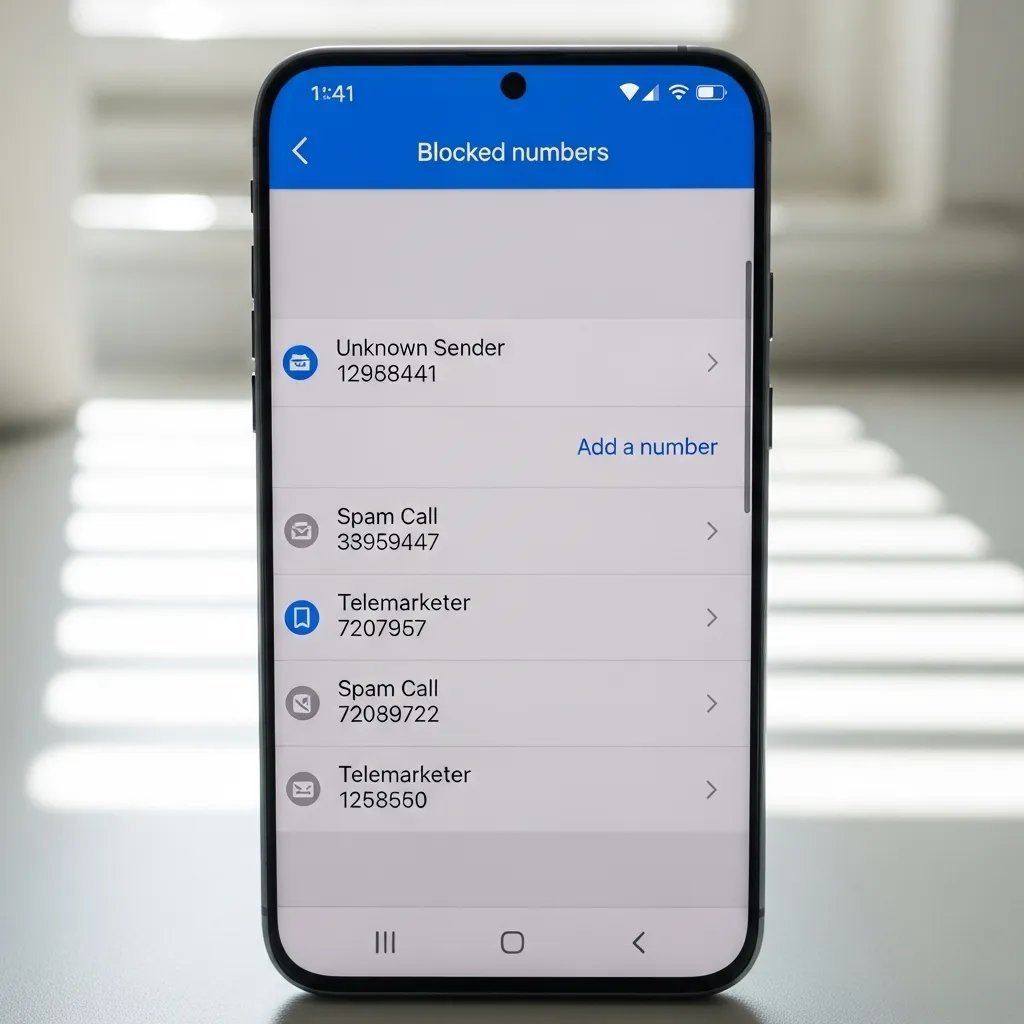
“Hello, I’m calling about your recent car accident.” You haven’t had a car accident. You don’t even drive. Yet the calls keep coming — at dinner, during work meetings, on Sunday mornings. Learning how to stop spam calls on a UK mobile number isn’t just about convenience; some of these callers are outright scammers after your bank details. The good news is that between your phone’s built-in tools, your network’s free services and a couple of official registers, you can cut the nuisance dramatically.
I’ve gone from five spam calls a week to maybe one a month. Here’s the full playbook, in order of impact.
Stop Spam Calls UK Mobile: The Free Fixes That Work Best
1. Register with the Telephone Preference Service (TPS)
This is the official “do not call” register, and it’s free. Once registered, legitimate UK companies are legally barred from making unsolicited sales calls to your number. It won’t stop scammers in call centres abroad (they don’t care about UK law), but it kills a big chunk of domestic nuisance calls within about 28 days. Register at the official TPS website — beware of copycat sites that charge a fee; the real one is always free. You’ll need to renew if you change numbers.
2. Turn on your phone’s built-in spam filtering
Both iPhone and Android now flag suspected spam automatically, and most people haven’t switched it on:
- iPhone: Settings > Phone > turn on Silence Unknown Callers. Calls from numbers not in your contacts go straight to voicemail. Drastic but incredibly effective. (Keep it off if you’re job-hunting or expecting delivery drivers.)
- Android (Pixel/Samsung): Phone app > Settings > Caller ID & spam — enable “Filter spam calls”. Pixels go further with Call Screen, which makes Google Assistant answer unknown callers and transcribe what they say. It’s brilliant.
3. Use your network’s free blocking tools
All four major UK networks offer free spam protection most customers never activate:
- EE: Text 7726 (spells SPAM) to report spam texts; call 150 to ask about call blocking
- O2: Free “Call Defence” — text the spam number to 7726
- Vodafone: Spam reporting via 7726, plus network-level filtering
- Three: Report to 7726; their app includes blocking tools
The 7726 service is run jointly by the networks and genuinely works — every report feeds the filters that protect everyone. It takes ten seconds and costs nothing.
4. Block aggressively and individually
After any spam call, block the number immediately (tap the number in your recents, then Block). Yes, scammers spoof new numbers constantly, so this feels like whack-a-mole — but combined with the filters above, it steadily reduces the flow. On iPhone you can also block entire ranges via third-party apps like Truecaller or Hiya, which maintain crowdsourced spam databases.
Dealing With the Persistent Ones
Report, don’t engage
Never press “1 to speak to an advisor” or “9 to opt out” on a robocall — it just confirms your number is live and gets you more calls. Hang up immediately. For scam calls specifically (bank impersonation, HMRC threats, “your internet will be cut off”), report them to Action Fraud, the UK’s national fraud reporting centre. It takes five minutes and helps build cases against the operations behind them.
You can also complain to the Information Commissioner’s Office about nuisance calls — the ICO has fined companies millions for illegal cold calling, and your complaint adds to the evidence.
The nuclear options
If a particular number won’t leave you alone after blocking:
- Ask your network about anonymous call rejection — blocks all withheld numbers
- Consider changing your number as a last resort (free with most networks if you’re receiving abusive calls — ask)
- Never, ever give your mobile number to comparison sites, “win an iPhone” pop-ups or prize draws — that’s where most numbers leak from
Protect Yourself Going Forward
Prevention beats cure. Use a secondary email and a Google Voice-style alternative number for online forms, Gumtree ads and dating apps. Check how to secure your home Wi-Fi network from hackers too — data breaches often start with compromised home networks, and your number frequently leaks alongside. And if you’re privacy-conscious generally, our guide on using a VPN safely on a UK home network covers keeping your broader digital footprint smaller.
Why Do I Get So Many Spam Calls?
Understanding where your number leaks helps you stop the flow at source. The main culprits:
- Data brokers: Companies that harvest personal data from public records, surveys, competitions and breaches, then sell lists to marketers. Your number has likely been bought and sold dozens of times.
- Comparison and quote sites: That car insurance quote required your number — which was then shared with “selected partners” (buried in the privacy policy you didn’t read). One quote can trigger months of calls.
- Data breaches: If your number was in a breached database (and statistically, it probably was), it’s circulating in scammer communities permanently.
- Social media and directories: Numbers posted publicly on Facebook Marketplace ads, business listings or old forum profiles get scraped by bots.
- Simply answering: Every answered call — even to hang up — confirms your number is live and gets it prioritised for more calls.
You can’t un-leak a number, but you can slow future leaks: use a secondary number (a cheap PAYG SIM or virtual number) for forms, quotes and selling sites; keep your real number for people you trust. Read privacy policies’ data-sharing sections before submitting your number — the “we may share with trusted partners” clause is where the spam begins. And if a company calls you despite TPS registration, they’re breaking the law — which brings us back to reporting them. Every report makes the next scammer’s life slightly harder.
The Bottom Line
Register with the TPS, switch on your phone’s spam filter, and report everything to 7726 — those three steps alone eliminate the vast majority of nuisance calls within a month. For the scammers who remain, hang up fast and report to Action Fraud. Your phone should be a tool, not a source of daily irritation, and reclaiming it takes less effort than enduring one more “final warning about your national insurance number.”