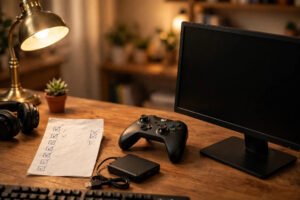
How To Set Up The Perfect Gaming Room On A Budget
Create the perfect gaming room on a budget: desk setup, lighting, seating and layout ideas that look premium without the premium price tag. Read more.
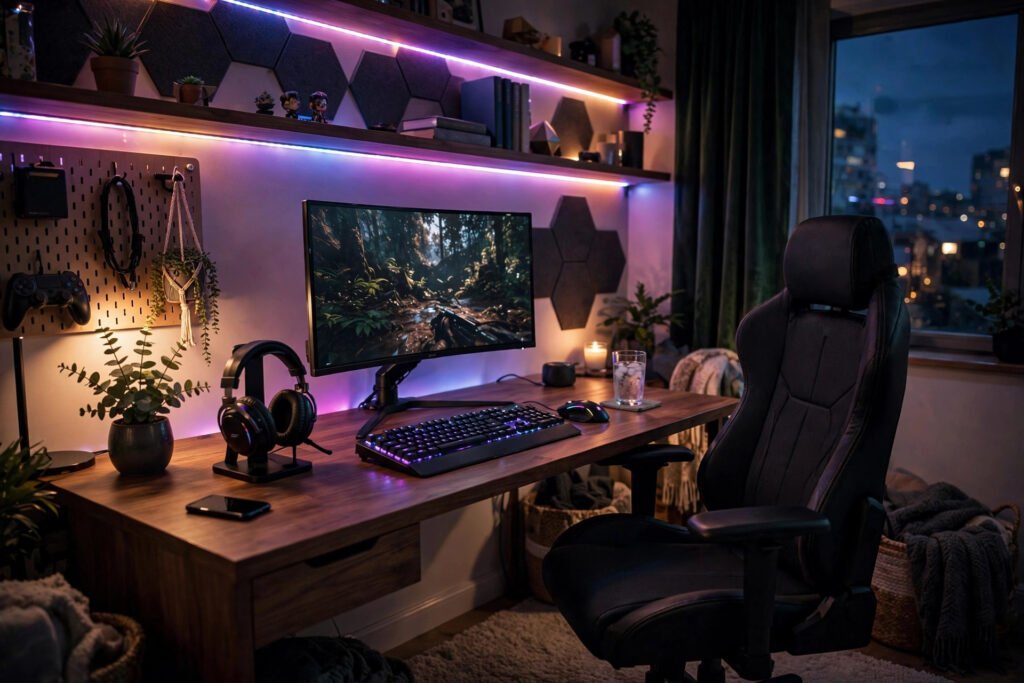
The perfect gaming room is not about spending thousands — it is about a space that feels like yours, where the lighting is right, everything is within reach, and you can lose three hours without a crick in your neck. Whether you have a spare bedroom, half a living room, or a corner of a box room, a genuinely great setup is achievable for £200–£400 if you spend where it counts and get creative where it does not.
This guide covers the room layer by layer: the desk and seating that protect your body, lighting that transforms the atmosphere, sound that pulls you in, and the storage and cable tricks that keep it all looking sharp.
Start With Ergonomics, Not Aesthetics
Every gaming room decision should start with your body, because you will spend hundreds of hours in that chair. Position your monitor so the top of the screen is at or just below eye level, about an arm’s length away — a £25 monitor riser or a stack of books achieves this instantly. Your elbows should rest at roughly 90 degrees when your hands are on the keyboard, which for most people means the desk is too high: a keyboard tray or a lower desk (around 70cm) fixes it.
The chair is the one item worth real money. You do not need a £300 “gaming” chair — many are style over substance. A good second-hand office chair with lumbar support (Herman Miller, Steelcase and Humanscale flood the used market from office clearances at £80–£150) will treat your back better than any racing-style seat. If you are setting up a workspace from scratch, improving your desk posture applies equally to gaming marathons.
Desk-wise, a simple 120–140cm desktop on legs beats a cramped “gaming desk” with useless extras. IKEA’s LINNMON/ADILS combination or a solid second-hand office desk costs £30–£60 and gives you room for a monitor, keyboard, and space to actually move the mouse — low-sensitivity players need that sweep space more than they need cup holders.
Lighting: The Cheapest Transformation
Lighting is the highest-impact, lowest-cost upgrade in any gaming room. Harsh overhead lighting causes screen glare and eye fatigue; the goal is soft, indirect light. A £15–£25 LED strip behind the monitor (bias lighting) reduces eye strain dramatically by balancing the brightness between screen and wall — it is the single best £20 a gamer can spend.
Add a warm floor or desk lamp for ambient light, and consider a second LED strip along a shelf or behind the desk for atmosphere. Smart bulbs (£10–£15 each) let you shift from bright white for daytime work to deep blue or purple for evening sessions. Avoid lighting the wall behind you for video calls — face a window or put a soft light in front instead. Blackout curtains (£20–£30) are worth it if you game during the day; glare is the enemy of immersion.
Sound and the Rest of the Senses
Good audio transforms gaming more than a better graphics card. A decent pair of closed-back headphones (£50–£80) beats any “7.1 gaming headset” marketing — look at studio brands like Audio-Technica or Sony rather than gaming brands. If you prefer speakers, a modest 2.1 set is fine for a small room; skip the surround sound unless the room is large enough to place speakers properly.
Do not neglect the room itself: hard, empty rooms echo. A rug (£20–£40 second-hand), a bookshelf, or even acoustic foam panels on the wall behind you (£15 for a pack) noticeably improve both game audio and voice chat quality. Your teammates will hear the difference immediately.
For the full setup inspiration, building a home cinema on a budget covers the big-screen side of things, and creating a cosy corner in a small room has ideas that transfer beautifully to a compact gaming corner — soft furnishings, warm light, and making a small space feel intentional rather than cramped.
Cable Management and Storage
Nothing ruins a gaming room faster than a nest of cables. The fix is cheap: a £10 cable management tray under the desk, a few velcro ties, and a power strip mounted out of sight. Route everything through the tray, label the plugs you unplug often, and coil excess length. Twenty minutes of effort, permanent improvement.
Storage keeps the room functional: a small set of drawers or a KALLAX unit (£30–£50) for controllers, games and accessories; wall-mounted shelves for display items; a hook for the headset (hanging it on the monitor is how headsets die). The rule is simple — everything you use weekly should be reachable without standing up; everything else should be out of sight. A quick five-minute tidy at the end of each session stops clutter accumulating into a weekend job.
Small Room? No Problem
Most British gamers are not working with a spare bedroom — it is a corner of the living room, a box room, or half a bedroom shared with a partner who does not share the hobby. Small spaces just need smarter choices. A wall-mounted monitor arm (£25–£35) frees the entire desk surface and lets you push the screen flat to the wall when not gaming. Vertical storage — tall narrow shelving rather than wide units — uses dead air instead of floor space.
If the setup lives in a shared living room, make it disappear: a desk that doubles as a sideboard, a chair that does not scream “gamer”, and cable management that keeps everything invisible. Agreement with housemates or partners matters more than gear — set expectations about noise (headphones after 10pm is the golden rule), and a room divider or curtain can carve a surprising sense of privacy out of a shared space.
Frequently Asked Questions
How much does it cost to set up a gaming room?
A genuinely good setup costs £200–£400 excluding the PC or console itself: £80–£150 for a quality used office chair, £30–£60 for a desk, £20–£40 for lighting, plus small amounts for cable management and storage. Spend on ergonomics first, aesthetics second.
What is the most important part of a gaming setup?
The chair and monitor position — you will spend hundreds of hours there, and back and neck pain ruins gaming faster than any hardware limitation. After ergonomics, bias lighting behind the monitor is the best-value upgrade.
How do I reduce glare on my gaming monitor?
Position the monitor perpendicular to windows, add blackout curtains for daytime sessions, and use bias lighting (an LED strip behind the monitor) to balance screen brightness against the room. Matte screen protectors help in bright rooms.
Where can I find more setup ideas?
The Which? buying guides cover monitors, chairs and audio impartially, and Ideal Home has plenty of small-room layout inspiration that works for gaming corners as well as living spaces.
How do I keep a gaming room cool in summer?
PCs and consoles pump out serious heat in a small room. Keep the PC’s vents unobstructed, leave space behind the desk for airflow, and game with the door open when possible. A small desk fan aimed at you (not the PC) makes long summer sessions far more comfortable — and undervolting your GPU slightly can cut heat output with no noticeable performance loss.