How to Take Better Screenshots in Video Games
Level up your captures: how to take better screenshots in video games with photo mode, clever composition and lighting techniques for truly stunning shots.
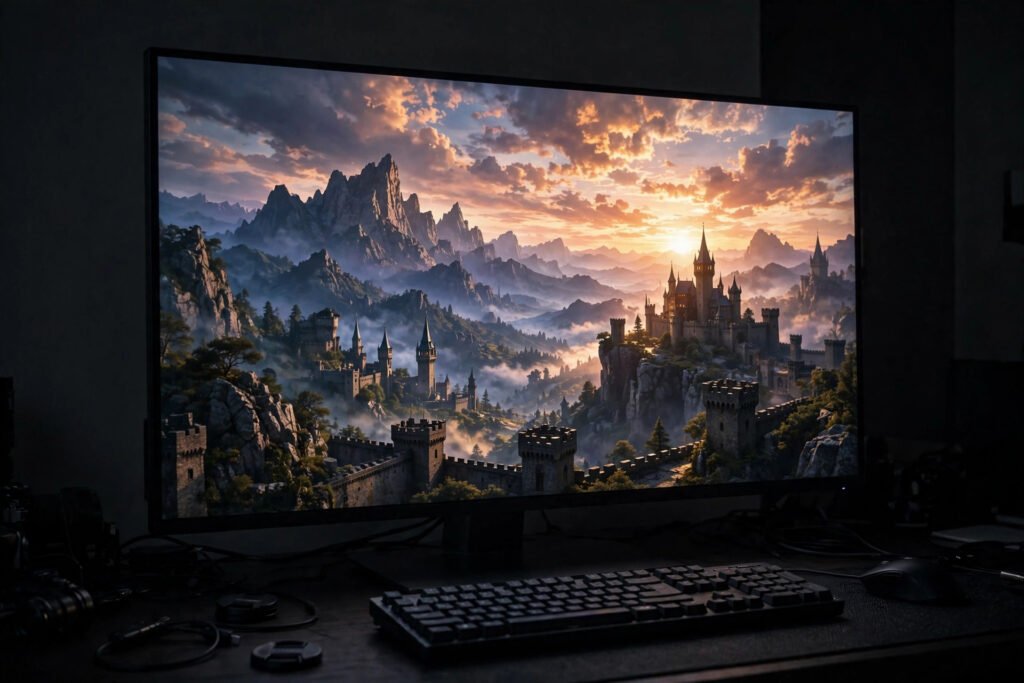
Games have never looked better — ray-traced lighting, vast landscapes, cinematic character models — and the screenshot has become a genuine art form. Virtual photography communities produce gallery-worthy work, and even casual players love capturing a perfect sunset or a hilarious physics glitch. But most screenshots are afterthoughts: cluttered HUDs, awkward angles, compressed to mush. Taking better screenshots in video games is a real skill combining in-game technique and basic photographic eye. Here is how to level it up.
Learn your capture tools first
Every platform has built-in capture: Print Screen or Win+Shift+S on PC, the Share button on PlayStation, the Xbox button + Y on Xbox, and the capture button on Switch. But the real magic is photo mode — an increasing number of games include a dedicated mode that pauses the action, hides the HUD, frees the camera, and offers depth-of-field, filters and lighting controls. Check your game’s settings or pause menu; photo mode transforms screenshot quality instantly. On PC, tools like NVIDIA’s Ansel (where supported) add super-resolution and 360° capture. Learn the shortcuts before the perfect moment arrives — fumbling for keys while the dragon flies past is how shots are lost.
Think like a photographer
The rules of real photography apply in virtual worlds. Composition: use the rule of thirds, lead the eye with roads or rivers, frame subjects with arches or trees. Lighting: games with day-night cycles reward patience — the golden hour before virtual sunset flatters everything, and storms add drama. Angle: get low for heroic character shots, high for sweeping landscapes; the free camera in photo mode is your tripod. Depth of field: blur the background to make subjects pop. And patience: the best virtual photographers wait for the right light, the right weather, the right NPC wander — just like real ones. If you want to develop the eye further, the same principles behind organising your real photos — curation, selection, storytelling — apply to building a virtual portfolio.
Capture at maximum quality
Default captures are often compressed. On PC, screenshot at your highest resolution — 4K downscaled beats native 1080p — and save as PNG rather than JPEG where the option exists. Disable film grain and chromatic aberration in game settings if they muddy your shots (or keep them for mood; it is an artistic choice). Turn off the HUD for clean captures, and consider hiding quest markers and damage numbers. Console captures can be transferred via companion apps or USB for editing; transferring via social media recompresses and degrades them, so use direct transfer for your best work.
Edit lightly, share thoughtfully
A light edit elevates good captures: straighten horizons, crop for composition, adjust exposure and colour gently. Free tools handle this in minutes. When sharing, consider your audience: dedicated communities (game-specific subreddits, virtual photography hashtags, Discord servers) appreciate craft far more than general social feeds. Credit the game, respect spoiler etiquette for story moments, and never pass off heavily modded or staged shots deceptively in contests. Back up your favourites — screenshots accumulate into genuine archives, and a good external hard drive for photo backups serves virtual memories as well as real ones. Which? reviews storage options if you are choosing, and both Xbox and PlayStation offer cloud storage for captures with their subscriptions.
From screenshots to art: joining virtual photography communities
Casual capturing can grow into something more: virtual photography is now a recognised art form with dedicated communities, contests and even gallery exhibitions. The barrier between “screenshots” and “art” is intention — composing deliberately, developing a style, curating a portfolio. Start by following virtual photographers in your favourite games; study what makes their work striking — usually dramatic lighting, bold composition and a distinctive colour grade.
Join the communities: game-specific photo modes often have sharing hubs, while broader virtual photography groups run themed challenges (a brilliant way to improve — constraints breed creativity). Enter contests; the feedback is generous and the standards inspiring. Some photographers specialise: landscapes, portraits, street-style candids of NPCs, abstract glitch art. Develop a series rather than random shots — a photo essay of one game’s world tells a story that single images cannot. A few virtual photographers have turned it into paid work: prints, commissions, even jobs in game marketing. What starts as pressing a capture button can end as a genuine creative practice — the camera was virtual all along, but the eye is real.
Conclusion
Better game screenshots come from: mastering capture tools and photo mode, applying real photographic composition and lighting, capturing at maximum quality, and editing lightly. Treat it as photography with infinite locations and perfect weather on demand — because that is exactly what it is. Advanced techniques for the dedicated: mods and reshade tools on PC unlock custom lighting, depth of field and colour grading far beyond photo mode — the virtual photographer’s darkroom. Time-lapse captures of changing light, composite panoramas stitched from multiple shots, and character portraiture with careful posing all have devoted followings. The ceiling is as high as your ambition — and every technique learned virtually sharpens your eye for real-world photography too.
Frequently Asked Questions
How do I take screenshots on PC?
Print Screen, Win+Shift+S, or your GPU software’s shortcut (Alt+F1 for NVIDIA). For the best results, use the game’s photo mode where available — it hides the HUD and frees the camera.
What is photo mode in games?
A dedicated mode that pauses gameplay, hides interface elements, and gives you a free camera with photographic controls like depth of field, filters and lighting. An increasing number of games include one.
How do I transfer console screenshots to my phone?
Use the console’s companion app (PlayStation App, Xbox app, or Switch’s QR-code transfer) for full quality. Sharing via social media recompresses images and reduces quality.
Should I edit my game screenshots?
Light edits — cropping, exposure, colour — elevate good captures. Heavy manipulation is fine as art but should be disclosed in photography communities and contests.
Where can I share virtual photography?
Game-specific subreddits, virtual photography hashtags and Discord communities are the most appreciative audiences. Credit the game and respect spoiler etiquette for story content.
What is the difference between photo mode and screenshots?
A screenshot captures what is on screen as-is; photo mode pauses the game and hands you a virtual camera — free movement, depth of field, filters, lighting controls. Photo mode is where virtual photography becomes a genuine craft.
Do I need a powerful PC for good screenshots?
Not necessarily — art direction matters more than raw fidelity. Some of the most striking virtual photography comes from stylised indie games on modest hardware. Composition, light and moment beat pixel counts every time.
Can virtual photography become a real portfolio?
Absolutely — the composition, lighting and storytelling skills transfer directly to real cameras. Several virtual photographers have parlayed their game screenshots into paid creative work; the eye is the instrument, not the camera — and that eye only improves with deliberate practice.
What are the best games for virtual photography beginners?
Games with strong photo modes and beautiful worlds: Red Dead Redemption 2, Horizon Forbidden West, Ghost of Tsushima and Cyberpunk 2077 are favourites. Start with a game you already love — familiarity with its world is an advantage.